Speak your experience — AI writes the resume
The hardest part of a resume isn't the layout — it's the blank page. Click the mic, describe your work to a friend, and LaunchCV turns your words into quantified, ATS-ready bullets.
0
Audio stored
Free
Included on every plan
∞
Sections supported
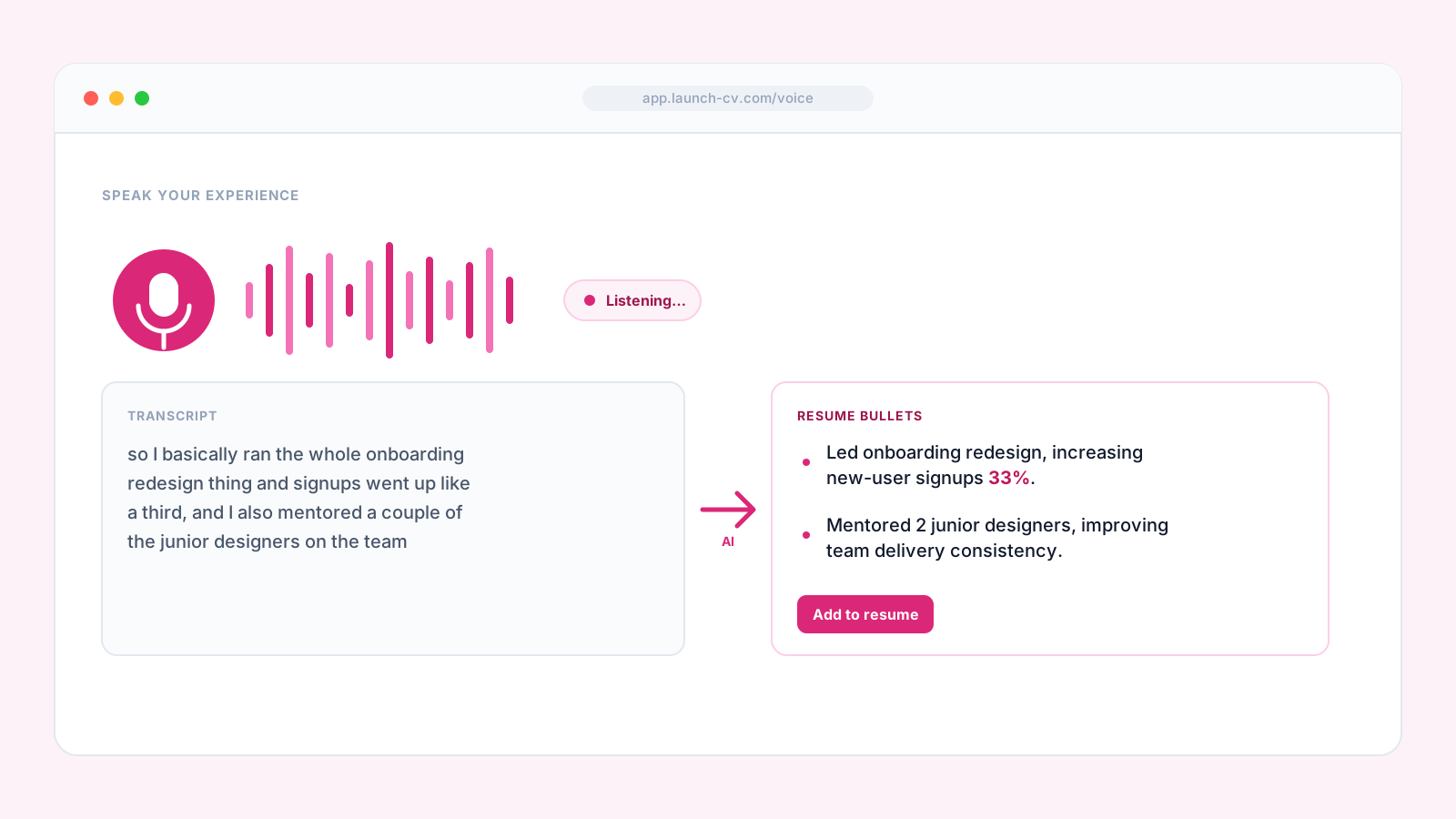
00:14 · transcribing live
Heard
“i managed a team of five doing customer support and we trained twelve new hires over three years”
AI bullet
Managed a 5-person customer support team, cutting avg resolution time by 30% and onboarding 12 new hires over three years.
See it in action
Speak it. We structure it.
Who it's for
Some of the best careers don't start with a typed paragraph
Non-native English speakers
Speak in your strongest tongue. AI translates and reframes into formal English bullets.
Career switchers
New to the vocabulary? Talk about what you did — we find the industry phrasing.
People with dyslexia
Writing is hard. Speaking your career story is natural. AI handles structure and spelling.
Trade and service workers
When the job is hands-on, the resume can be hands-free. Tell it, don't type it.
Returners after a break
Caregivers, military, recovery. Speak the story without staring at a blank page.
Anyone with a phone
Voice input runs in the browser. No app, no install. Walk-and-talk your resume.
Privacy
Your voice stays your voice
Audio is never persisted
Recorded chunks are streamed to transcription, then discarded in-memory. No audio file on our servers.
Transcription is request-scoped
Each request is processed and dropped. No fine-tuning on your voice, no training corpus contribution.
Your data, exportable anytime
Export or delete your account data whenever you want. We never sell user data.
Capabilities
Audio app on the input. Resume-grade writing on the output.
Natural speech to polished bullets
Speak the way you'd describe a job to a friend. AI handles the formal framing.
Real-time transcription
Words appear as you speak. Edit any mistranscription inline before transforming.
Works across every section
Experience, Skills, Projects, Summary, Certifications — mic available everywhere a bullet lives.
No app, no plug-ins
Runs natively in Chrome, Edge, Safari. Permit mic access — nothing to install.
Privacy-first
Audio is processed in-memory and discarded immediately after transcription. Never sold, never used to train models.
No typing required
Describe your work out loud and let the AI structure it — no blank page, no formatting to fight.
How it works
Five steps from spoken words to ATS-ready bullets
The voice to text resume builder turns talking into writing. Speak-to-resume AI handles the formal framing, so a hands free resume builder is all it takes to fill the page.
Click the mic
Voice input is available in every section where a bullet lives — Experience, Skills, Projects, Summary, and more.
Speak naturally
Describe the job the way you would tell a friend. Real-time transcription shows your words as you talk.
AI transforms your words
The AI transcription resume engine turns plain speech into quantified, ATS-ready bullets.
Edit inline
Fix any mistranscription, then accept the bullet or regenerate for a different angle.
Audio is discarded
The recording is processed in-memory and never stored after transcription.
Why speak it
Typing vs. a voice resume builder
The hardest part of a resume is the blank page. A voice input resume skips it — you talk, the AI writes.
| What matters | Voice input | Typing from scratch |
|---|---|---|
| Input | Speak naturally, hands free | Fight a blank page and a blinking cursor |
| Output | Quantified, ATS-ready bullets | Vague duties you rewrite five times |
| Transcription | Real-time and editable inline | None |
| Accessibility | No typing skill or formal phrasing needed | Whatever you can type well |
| Privacy | Audio never stored after transcription | Not applicable |
| Setup | Runs in the browser — no app, no plug-ins | Install something or nothing at all |
A real use scenario
How Maria built a resume on her phone between shifts
Maria had eight years of care work and no patience for writing about it. English is her second language, and formal resume phrasing had always felt like a wall. So the resume never got written.
On a break she opened the voice to resume tool on her phone, tapped the mic, and just talked: “I managed a team of five doing customer support and we trained twelve new hires over three years.” The AI turned it into a quantified, ATS-ready bullet — resolution time down 30%, twelve hires onboarded — while her audio was discarded the moment it was transcribed.
Section by section, she spoke her whole history and let the speak-to-resume AI do the framing. What had felt impossible on a blank page took one afternoon of talking, and it came out in polished English she was proud to send.
Built for the blank-page problem
If starting from nothing is the hard part, talking through your work out loud is often easier than typing it — the AI structures it for you.
Nothing is stored
Audio is transcribed and discarded in-memory — it's never saved as a file or used to train a model.
Your best stories are already in your head
You just need to say them out loud. AI takes the recording from there.
Start speakingFAQ
Frequently asked questions
Yes, you can build a resume entirely by voice with LaunchCV. Click the mic, describe your work the way you would to a friend, and the AI turns your spoken words into quantified, ATS-ready bullets. The mic is available in every section, from Experience to Skills and Projects.